1
/
of
4
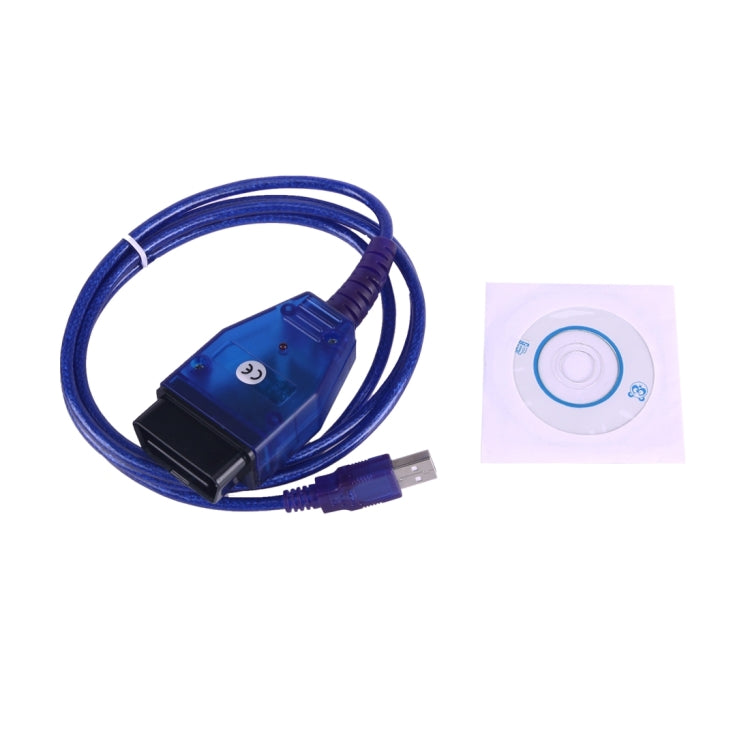
VAG KKL USB Ecu Car Scan Tool for Fiat
VAG KKL USB Ecu Car Scan Tool for Fiat
No reviews
Regular price
£15.20
Regular price
Sale price
£15.20
In stock
Free Shipping Tracked
Estimated delivery: Dec 2 - Dec 12
Quantity
Couldn't load pickup availability
✓ Your Purchase is Protected
Join 40,000+ happy customers who shop risk-free
Free Worldwide Shipping Tracked
Ships in 1-3 days • Save £8.99
6-Month Guarantee Protected
Manufacturing faults covered
30-Day Easy Returns Risk-Free
Changed your mind? Full refund
Secure Checkout SSL
Your payment info is protected
✓ 40,000+ customers trust us with their purchases
• Product type: Cables & Connectors
• Compatibility: Fiat
• Material: Not specified
• Key feature: Multi-ECU access switch
• Color/Variant: Not specified
• Intended use: Diagnostic scan applications
• Category: Diagnostic Scan Tools
Features
1. Drivers for Windows XP, Windows 7 32bit
2. Compatible with many diagnostic software packages including: - Fiat ECU Scan - KKL V409
3. Cable adapted to include a 4 way switch to access different ECUs: - Position 1 = Engine ECU (read / clear engine faults) - Position 2 = AirBag ECU (read / clear airbag faults) - Position 3 = ABS ECU (read / clear brake faults) - Position 4 = ESP ECU (read / clear stability faults)
How to Use
1. Plug in cable to computer / laptop
2. Install cable drivers (provided on CD)
3. Make any additional settings which your diagnostic software suggests
4. Set the switch on the VAG-COM to diagnose the desired ECU
5. Plug cable into car's OBD connector
• Compatibility: Fiat
• Material: Not specified
• Key feature: Multi-ECU access switch
• Color/Variant: Not specified
• Intended use: Diagnostic scan applications
• Category: Diagnostic Scan Tools
Features
1. Drivers for Windows XP, Windows 7 32bit
2. Compatible with many diagnostic software packages including: - Fiat ECU Scan - KKL V409
3. Cable adapted to include a 4 way switch to access different ECUs: - Position 1 = Engine ECU (read / clear engine faults) - Position 2 = AirBag ECU (read / clear airbag faults) - Position 3 = ABS ECU (read / clear brake faults) - Position 4 = ESP ECU (read / clear stability faults)
How to Use
1. Plug in cable to computer / laptop
2. Install cable drivers (provided on CD)
3. Make any additional settings which your diagnostic software suggests
4. Set the switch on the VAG-COM to diagnose the desired ECU
5. Plug cable into car's OBD connector
Have questions about this product? Need help choosing? Contact our support team for assistance!
Share