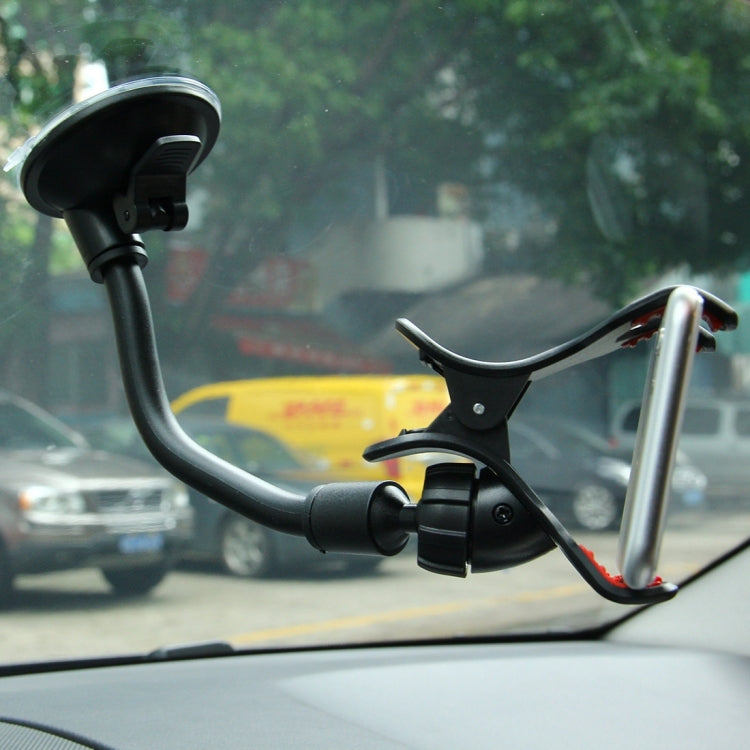
Universal 360 Degree Rotation Suction Cup Car Holder / Desktop Stand, Size Range: 3.5-8.3cm, For iPhone, Galaxy, Huawei, Xiaomi, Lenovo, Sony, LG, HTC and Other Smartphones, MP4, PDA, PSP, GPS(Black)
No reviews
Precio habitual
$16.00
Precio habitual
Precio de oferta
$16.00
Los gastos de envío se calculan en la pantalla de pago.
Free Shipping Tracked
Estimated delivery: Dec 2 - Dec 12
Cantidad
No se pudo cargar la disponibilidad de retiro
✓ Your Purchase is Protected
Join 40,000+ happy customers who shop risk-free
Free Worldwide Shipping Tracked
Ships in 1-3 days • Save £8.99
6-Month Guarantee Protected
Manufacturing faults covered
30-Day Easy Returns Risk-Free
Changed your mind? Full refund
Secure Checkout SSL
Your payment info is protected
✓ 40,000+ customers trust us with their purchases
Overview
1. Simple & Generous appearance, all-purpose designed.
2. It can adjust 360 Degree to any view, button designed can easy loading.
3. Fit for device width from 35mm to 83mm.
4. Easy to install and release on vehicles windshield.
5. Quality grip arm holds devices precisely.
6. Durable mount frame.
Operational Instructions
1. Clean up the dust, dirt and chip for the set up position.
2. Place and press down the device on the set up position.
3. Push down the lever to lock in the device.
4. Open the clip and put your device in it, then release the clip.
5. Adjust to your preferred viewing angle and tighten the ball joint.
6. Remove the mount and rinse off any dust, dirt or debris before using again.
1. Simple & Generous appearance, all-purpose designed.
2. It can adjust 360 Degree to any view, button designed can easy loading.
3. Fit for device width from 35mm to 83mm.
4. Easy to install and release on vehicles windshield.
5. Quality grip arm holds devices precisely.
6. Durable mount frame.
Operational Instructions
1. Clean up the dust, dirt and chip for the set up position.
2. Place and press down the device on the set up position.
3. Push down the lever to lock in the device.
4. Open the clip and put your device in it, then release the clip.
5. Adjust to your preferred viewing angle and tighten the ball joint.
6. Remove the mount and rinse off any dust, dirt or debris before using again.
Share
